Modern petroleum refineries depend on operator screens to show live process data, alarm states, and equipment status. At SLOVNAFT, these screens are drawn in PI ProcessBook — the visualization tool that is reaching end of vendor support — while their process data comes from a Honeywell Experion Distributed Control System. That leaves roughly 350 operator screens to migrate to PI Vision.
Manual migration is out. Each screen holds hundreds of graphical elements — text labels, vessel shapes, value readouts, and lines — and doing the work by hand produces the same errors every time: coordinate drift as pixel positions are transcribed one by one, wrong alarm-state colours that cost operators critical visual information, and missing PI data tag bindings that cut the live connection between a symbol and the plant instrument it monitors. An automated tool fixes all three at once and leaves a record of what it did.
A format that pretends to be HTML
The source files use a format called HTM, a Honeywell-proprietary encoding that looks like HTML but isn’t quite. The element type of each graphical symbol — whether it’s a text label, a polygon vessel, or a dynamic value display — is stored inside a CSS style attribute using a non-standard BEHAVIOR token. Standard HTML parsers strip it out immediately, before anything useful can be read from it. A second custom attribute, HDXproperties, holds the visual properties of each element.
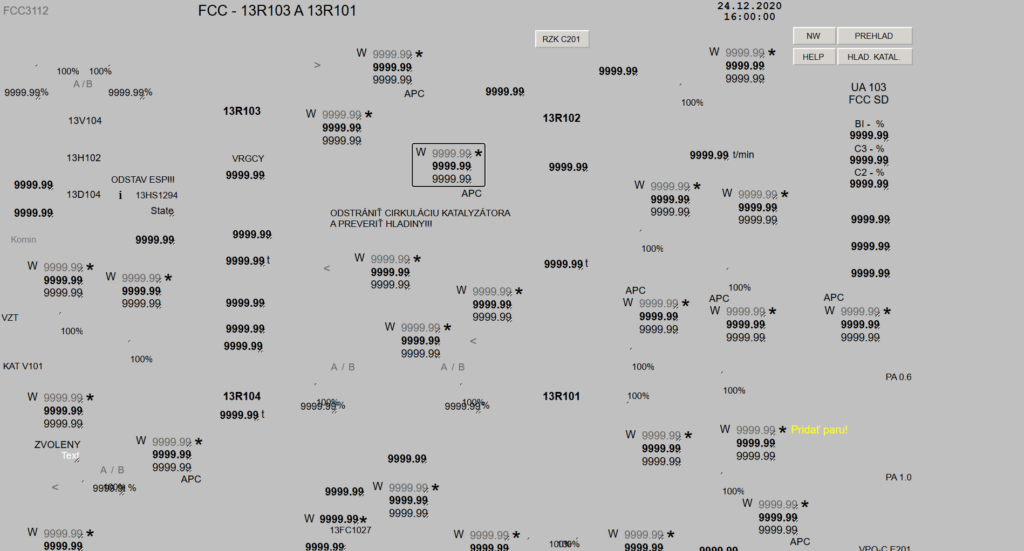
The pilot screen used to test the tool, designated FCC3112 from a fluid catalytic cracking unit, is a good measure of the typical complexity: one HTM file, 939 nested elements, 568 distinct graphical symbols.
About the migration tool
The tool runs in Microsoft Excel VBA, packaged as a single .xlsm workbook with no installation. That wasn’t an aesthetic choice. Industrial DCS workstations sit on isolated networks that can’t easily receive new software, but virtually every Windows machine in the plant has Office. VBA was the only language guaranteed to be there.
The conversion runs as a six-step pipeline:
- Read the HTM file from disk.
- Scan the raw text to pull out BEHAVIOR tokens.
- Build the DOM tree in memory.
- Read canvas dimensions and background colour from the source screen.
- Compute a coordinate transform.
- Walk the DOM recursively:
- Colours and fills work on an override basis — a child element’s value always wins.
- Rotations and positions accumulate down the tree.
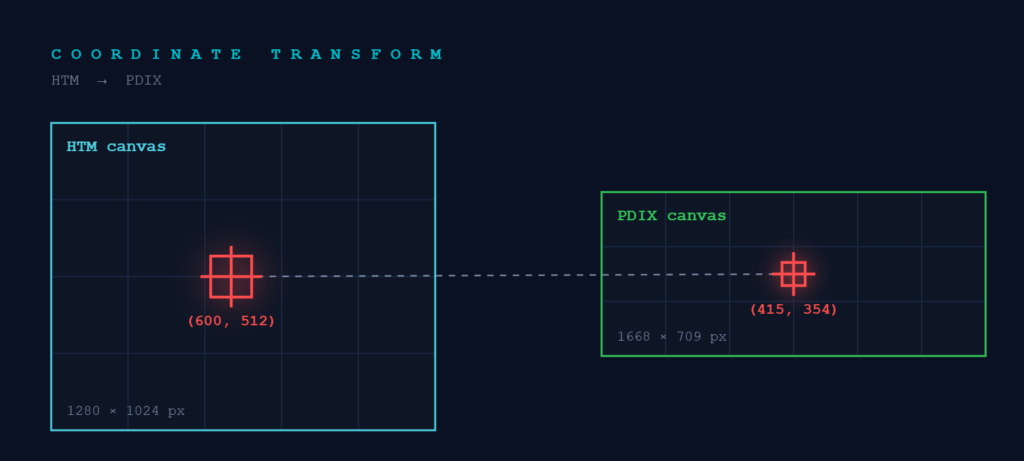
When the conversion finishes, the tool writes two additional files: a mapping that pairs every HTM element ID with its PDIX symbol name, and an optional debug log of the full traversal tree. Eight PI Vision symbol types are supported — lines, rectangles, ovals, arcs, polylines, rounded rectangles, ellipses — which together cover about 94 percent of the elements across all 350 screens.
Results of Work
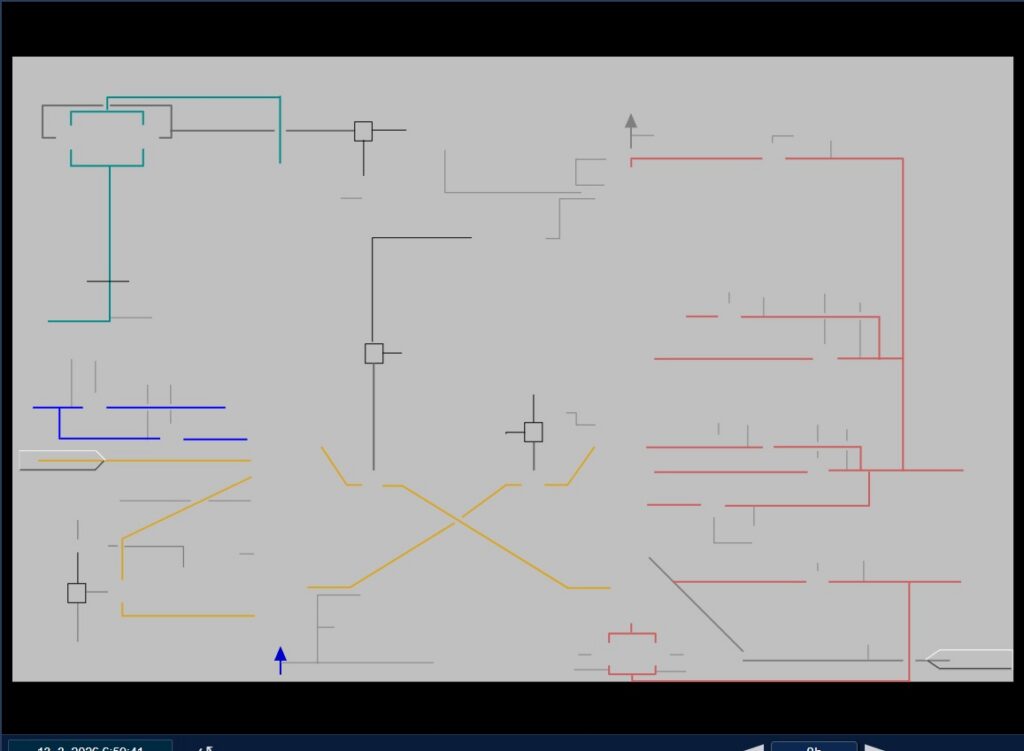
On FCC3112, the tool converted 412 of 528 graphical leaf elements automatically. Loading the PDIX output into PI Vision and comparing it side by side with the original HTM screen confirmed correct coordinates and colours on every converted symbol.
The remaining gap is polygon support, the tool doesn’t support them yet. They show up in the audit report by element ID, so there’s a clear list to work from instead of hunting for gaps by eye. Once that’s working and the pilot screen clears formal acceptance, the same tool will be applied to the other 349 screens.
What I took away
The biggest lesson wasn’t VBA syntax. It was reverse-engineering an undocumented industrial format. With no reference to rely on, I worked out the structure directly from the files. Along the way, I also ended up applying object-oriented design in a language as VBA. What’s left is covering the element types the tool still skips, and the real test comes this summer: testing and debugging it on live production screens during my internship at SLOVNAFT.